If you can find an artist, festival, or video in three clicks instead of thirteen, the whole site feels smarter. That is the tiny magic I am aiming for here. Search on a music site should feel like a good backstage pass: fast, obvious once you know where to look, and not full of surprise stairs.
When people search a site like Guieiro Musical, they usually want one of four things: the exact artist name, the festival page, the video they remember from last week, or the category that keeps everything else organized. If that sounds familiar, you are in the right place. The same basic ideas behind Boolean search and browser bookmarks apply here too: exact terms help, variations help, and a saved page saves future you from wandering around like a person who dropped their setlist in the dark.
“The power of the Web is in its universality.”
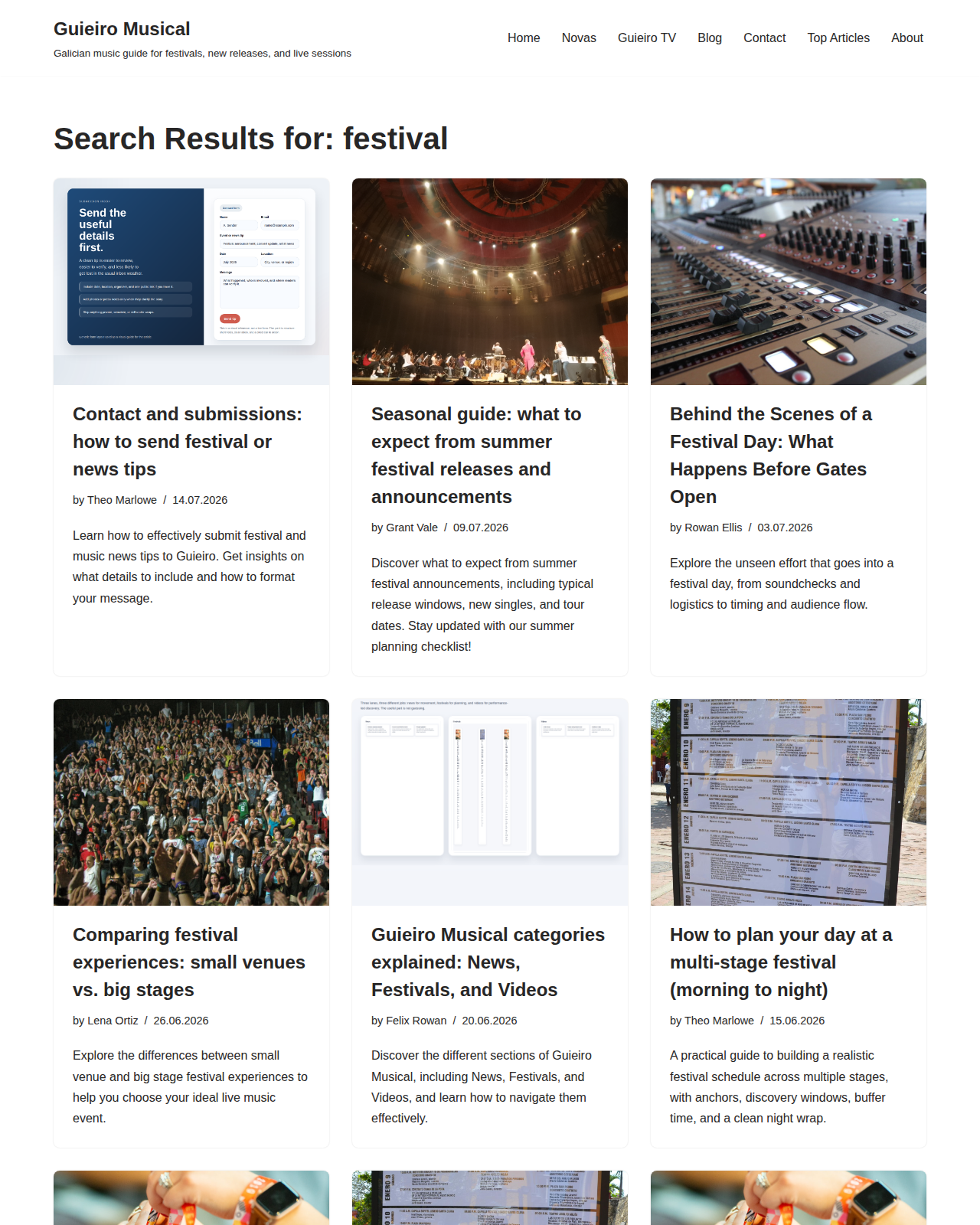
As Tim Berners-Lee put it, that universality is why a simple search routine matters. It works across the homepage, the blog index, category pages, and the search results page you see in this article’s screenshot. If you want a quick map of the site before you start hunting, the homepage is the front door and the Blog page is the long shelf of newer posts and deeper reads.
Here is what I want you to be able to do by the end: search with the exact name first, try a few smart variations, use location and lineup clues when names fail, move from category to detail instead of starting in the middle, and bookmark the pages you come back to again and again. No wizard robes required. Just a few tiny habits that keep the interface friction low.
A tiny glossary before we start
Search advice gets easier when the words stop hiding inside each other. So here is the smallest useful glossary I can give you without turning this into a glossary cosplay event.
| Term | What it means | Why it helps |
|---|---|---|
| Keyword | The main word or phrase you type into search. | It is your starting point, so making it precise saves time. |
| Variation | A slightly different version of the same name or phrase. | Useful when a title uses punctuation, accents, or a nickname. |
| Category page | A broader page for a topic like news, festivals, or videos. | Good when you know the type of content but not the exact title. |
| Refine | Making a search narrower after you get a few results. | Helps you go from “everything vaguely related” to the one page you need. |
| Bookmark | Saving a page in your browser for later. | Perfect for artists, festivals, and video pages you check repeatedly. |
| Fallback | A broader search when your first try comes back empty. | Keeps you moving instead of staring at zero results like it owes you rent. |
1. Use exact names first, then try common variations
If I know the exact artist or festival name, I start there. Not because I enjoy being dramatic about it, but because exact names are the shortest path through the mess. A search for “The Skarnivals” usually behaves better than a search for “skarnivals band thing”, which is what panic looks like in keyboard form.
Then I try the obvious variations. Names on music sites can shift a little depending on how they were written in a post, whether the article used an article like “The,” or whether accents and punctuation showed up in the original title. That tiny mismatch can be the whole game.
| Try this first | Then try this | Why it works |
|---|---|---|
| The Skarnivals | Skarnivals | Some posts keep the article, some do not. |
| Torsion Mundial | torsion mundial | Case differences should not matter, but simplification helps when the title is formal. |
| Vicky Polard | Vicky Polard album | Adding the format can separate the artist from other mentions. |
| Coruña Sonora | Coruna Sonora | Accents are useful in titles, but stripped versions are often easier to remember. |
| Guieiro TV | video | A category name is the best version when the exact title escapes you. |
Small rule: search exact first, then shorten the phrase, then remove punctuation or accents if needed. That order keeps you from overcorrecting too early. If you start too broad, the results get noisy fast. If you start too specific, you may think the site is missing something when it is really just being literal.
One more thing: if a title includes a featured phrase like “live session,” “new album,” or “festival planning,” try that phrase too. Titles on a music site often behave like little signposts, and signposts love being searched by the words they literally contain. Bold choice, I know.
2. Try keywords from the lineup, location, or format
Sometimes you do not remember the exact title, but you remember the supporting clues. That is enough. Search is not a memory test with a sadistic proctor. It is a clue hunt.
For artists, I like to add a bit of context: the city, the event type, the word “video,” or the word “festival.” For festivals, I might add the location or the year. For videos, I will often add format words like “live,” “official,” “session,” or “performance.” Those tiny add-ons act like a flashlight.
Examples:
- Artist + format:
Vicky Polard album,The Skarnivals live - Festival + location:
Coruna festival,Galicia music festival - Video + mood:
Guieiro TV live session,music video performance - Post title clue + year:
festival 2014,album 2026
The trick is to think like a librarian with a very limited tolerance for chaos. Ask yourself: what word would likely appear in the title if this page existed? Sometimes that is the artist name. Sometimes it is the venue. Sometimes it is the city. Sometimes it is the exact phrase “new album” because humans love writing the obvious things in titles and then acting like that was a secret.
If you want a broader mental model, the idea is similar to how people use Boolean search: start with the useful bits, then trim away the extra noise. You do not need a formal operator here. You just need a filter that respects how music titles are usually written.
3. Search by category first, then refine the result
If I already know the content type, I do not start in the weeds. I go to the category first. That is the boring magic. Boring, yes. Effective, also yes.
On Guieiro Musical, the categories and major entry points give you a simple way to narrow the hunt. If you are looking for quick updates, the Blog is the best long-form index. If you are after the broad site home, the homepage gets you back to the main map. And if the post you want is more of a news item or a video, moving through those groupings is often faster than tossing random words into search and hoping for enlightenment.
Here is a practical sequence I use:
- Decide the content type: artist, festival, or video.
- Go to the broadest relevant page first.
- Scan titles for the clue you remember.
- Refine with one extra keyword if you need to narrow it down.
- Only then use the search field, if one is available on the page you are on.
Think of this as search with guard rails. You are not trying to win a typing contest. You are trying to reduce the number of possible doors until the right one is obvious.
| If you know… | Start here | Then refine with… |
|---|---|---|
| It was a news update | Blog / news-oriented pages | Artist name, venue, or year |
| It was a video | Guieiro TV | Artist name, “live,” or “session” |
| It was a festival | Festival-related posts | Location, month, or stage name |
| You only remember the vibe | Homepage | One stronger clue from the title |
If this sounds a little like walking through rooms in a house instead of shouting into the hallway, that is exactly the point. Category first. Detail second. Panic never.
4. If results are empty, broaden the keywords instead of giving up
An empty search result does not always mean the page is missing. Sometimes it means the terms were too tight, too formal, or too specific for the way the post was written. The fix is usually not “search harder.” The fix is “search wider, but in a controlled way.”
Here is the widening sequence I use when the page says nothing back:
- Drop one extra word.
- Remove the year.
- Remove punctuation.
- Try the version without accents.
- Try the category name alone.
For example, if A Coruña Sonora 2014 gives you nothing useful, I would try Coruna Sonora, then Sonora, then music circuit or a broader festival term. If The Skarnivals Torsion Mundial is too precise, I would split it into The Skarnivals and Torsion Mundial separately. The goal is not to be less smart. The goal is to stop asking the page to remember your entire bedtime story.
This is also where a little patience helps. Search is often a layering process. The exact phrase finds the needle. The broader phrase finds the haystack. You usually need both.
People who work with recurring content questions often turn those patterns into a workflow, and in that context AI integration services can be a practical outside reference when they want search behavior to connect with existing tools instead of living in a lonely little spreadsheet forever.
If you want another outside example of the same principle, browser bookmark systems exist for exactly this reason: once you know a page matters, you do not want to re-discover it by retyping your whole memory palace every week. That is why it is worth keeping a small set of bookmarked pages for artists, festivals, and video pages that you check often.
5. Save your favorite pages so you do not have to re-hunt them
This is the part where future-you sends present-you a thank-you note.
When I find a page I know I will revisit, I bookmark it immediately. Not later. Not “when I have a minute.” Later is where good intentions go to become dust. A bookmark folder for music discovery pages is a tiny habit with a very large payoff.
You can keep it simple:
- One folder for artist pages.
- One folder for festival pages.
- One folder for videos or live sessions.
- One catch-all folder for “check again next week.”
That pattern lines up nicely with how browser bookmark tools work. If you want a deeper reference, Mozilla’s bookmark guide is a useful reminder that saving a page is not a fancy power move; it is just a way of not making your brain carry everything around like an overpacked festival tote.
The same logic applies to pages on Guieiro Musical. If you keep returning to a festival post, a music video entry, or a category page, bookmark it. If you are comparing multiple posts, save them in one folder so you can jump back and forth without searching again. That is the whole trick. Reduce repeat work. Protect attention. Keep the fun part fun.
6. Use internal links like stepping stones, not decoration
Internal links are not there just to make the page look connected. They are the paths people actually use when they are trying to move from one idea to the next without starting over from scratch. A good internal link is a tiny signpost that says, “Yes, you are in the right neighborhood.”
On this site, the Blog index is useful when you want a bigger view of recent stories. The homepage is useful when you want to reset your route and start from the main map. And from there, category pages like News, Festivals, or Guieiro TV help you narrow the search space without forcing a perfectly phrased query every time.
Here is how I use internal links in practice:
- If a post mentions another artist, I click through to see whether that artist has a separate article.
- If a festival post links to a related update, I use that link before I type anything new.
- If a video entry links to a category page, I treat that as a shortcut to adjacent clips or related posts.
- If I am lost, I go back to the homepage instead of pounding the search field like it insulted my family.
That last one matters more than it sounds. A lot of search frustration comes from trying to solve the wrong problem in the wrong place. Sometimes you do not need a better keyword. You need a better starting point. Internal links give you that second chance without making you reopen the whole site from the top.
And if you are the sort of person who likes turning recurring questions into an organized workflow, this is exactly where linked content shines. Search, browse, save, return. It is a small loop, but it keeps the site from feeling like a maze with excellent lighting.
7. A 60-second search routine that actually works
If you only remember one thing from this article, make it this sequence. It is quick, repeatable, and much less glamorous than a hero’s journey, which is usually a good sign in product usability.
- Say the goal out loud. Artist, festival, or video?
- Try the exact name. Include the full title if you know it.
- Strip one layer. Remove punctuation, accents, or a small extra phrase.
- Add one clue. Location, year, live session, or album.
- Use the category page. Blog, news, festivals, or Guieiro TV.
- Bookmark the result. Do not make yourself search again tomorrow.
That routine covers most of the cases people actually run into. It is simple enough to use when you are in a hurry, and flexible enough to survive the messy reality of music titles, nicknames, and titles that have been written four different ways by four different humans with four different opinions about hyphens.
Here is the simple rule behind it: exact first, broad second, category whenever you can, and bookmark the good stuff when you find it. That is the boring magic. Boring, yes. Effective, also yes.
What I would do if I were starting fresh
If I were arriving on Guieiro Musical for the first time and wanted to find a specific artist, festival, or video fast, I would do this:
- Open the homepage and get the lay of the land.
- Check whether I already know the category, then jump there first.
- Search the exact name once before I start mutating the phrase into something unrecognizable.
- Add one context word, not six.
- Save the page when I find it.
If that sounds too simple, good. Simple is what makes it repeatable. Search tips only become useful when they are easy enough to remember on a random Tuesday when you are half caffeinated and trying to remember whether the artist was listed under a full name, a shortened name, or the version with the article in front of it.
For comparison, the idea of a clean saved path shows up everywhere online: people use browser bookmarks, categorized archives, and clear labels because memory is unreliable and the internet is not going to apologize for that. A little structure goes a long way. That is why the combination of exact search terms, category pages, and bookmarks works so well.
Conclusion
When you want to find an artist, festival, or video quickly, the best strategy is usually not a magical search trick. It is a sequence: exact name first, then variations, then location or lineup clues, then category pages, then bookmarks for the things you will revisit. Nothing flashy. Nothing cursed. Just a tidy little system that keeps the site from feeling bigger than it is.
If you remember the whole article as one sentence, let it be this: start narrow, broaden only when needed, and save the pages that matter. That one habit will make Guieiro Musical much easier to browse, especially when you are trying to move quickly between news, festivals, and videos.
From here, you can head back to the Blog for more guides or return to the homepage and start another search with a better mental map. If you have a search habit that works especially well for you, keep it. If you have a small trick that saves time, keep that too. Good search is mostly just good housekeeping with a nicer soundtrack.
Quick recap:
- Use the exact name first.
- Try common variations, accents, and shortened forms.
- Add location, year, or format words when you need context.
- Go through category pages before you start improvising.
- Broaden the query if the result set is empty.
- Bookmark the pages you will come back to later.
- Follow internal links to related posts and categories.
If you want, this guide is the one to try the next time you are hunting down a page and do not want to spend the afternoon negotiating with the search box like it is a stubborn stage door.